Mining approvals workflow software that regulators can actually traverse

Exploration licences, environmental approvals, heritage clearances, mining leases, condition management, and variations. Multi-stakeholder, multi-step, fully audited.

app.mineone.io/approvals
Open Approvals
12
Across 3 jurisdictions
Conditions
47
3 at risk
WA Exploration Licence
SA Mining Lease
EPBC Approval
Heritage Clearance
Inside the approvals module

Submit, assign, review, sign off — four steps, one audit trail.
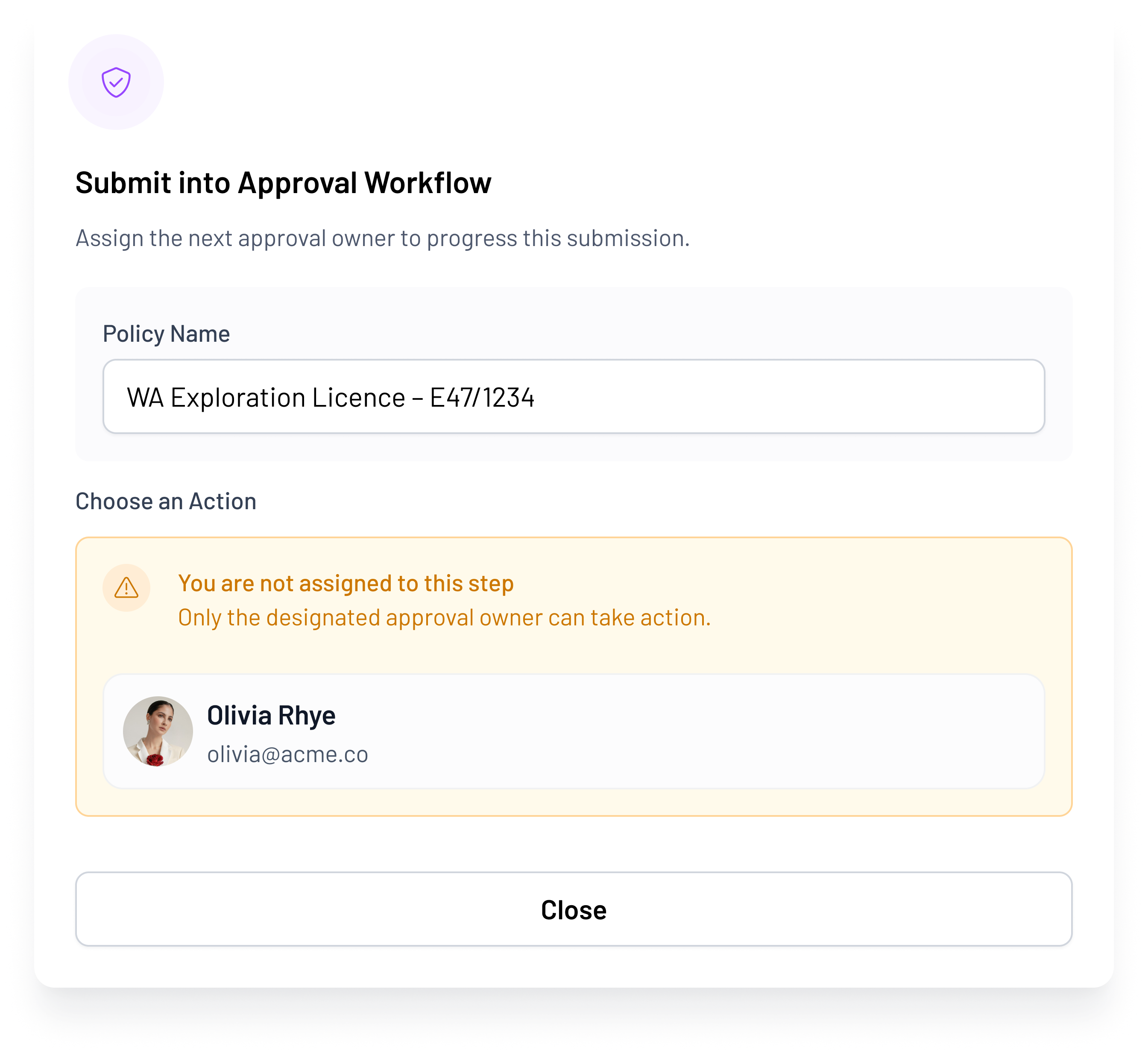
submit
Submit an approval into a workflow modal
Step 1 · Submit

Submit into a workflow.

Attach the document, pick the workflow, MineOne routes it through the right approvers and evidence steps.
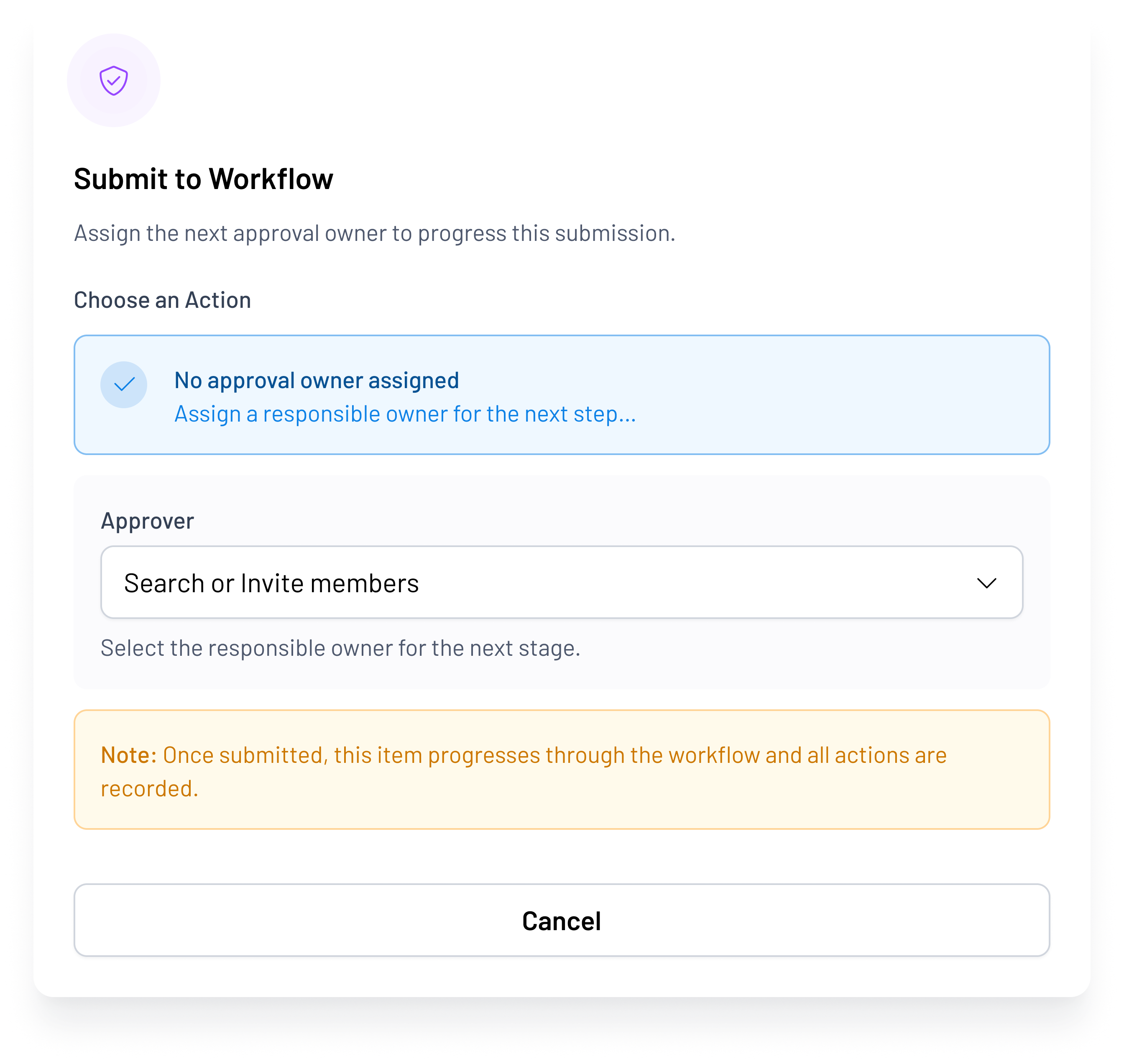
route
Submit to workflow modal showing routing options
Step 2 · Route

Route to the right workflow.

WA Exploration Licence, SA Mining Lease, EPBC, Heritage — each workflow pre-built with the right approver sequence.
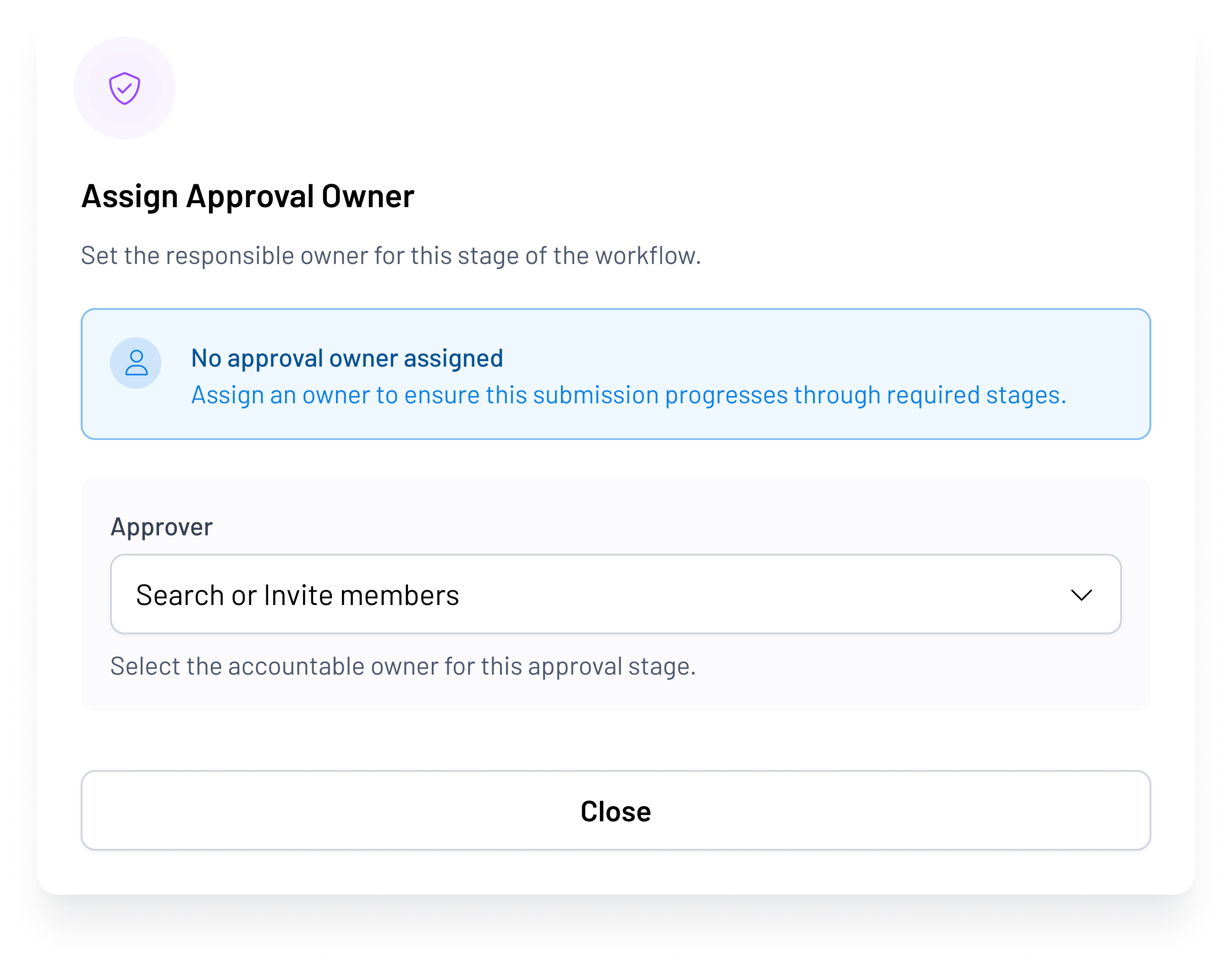
assign
Assign approval owner modal
Step 3 · Assign

Assign an owner.

Named primary and backup owners — every stage has a person accountable, no matter who's on leave.
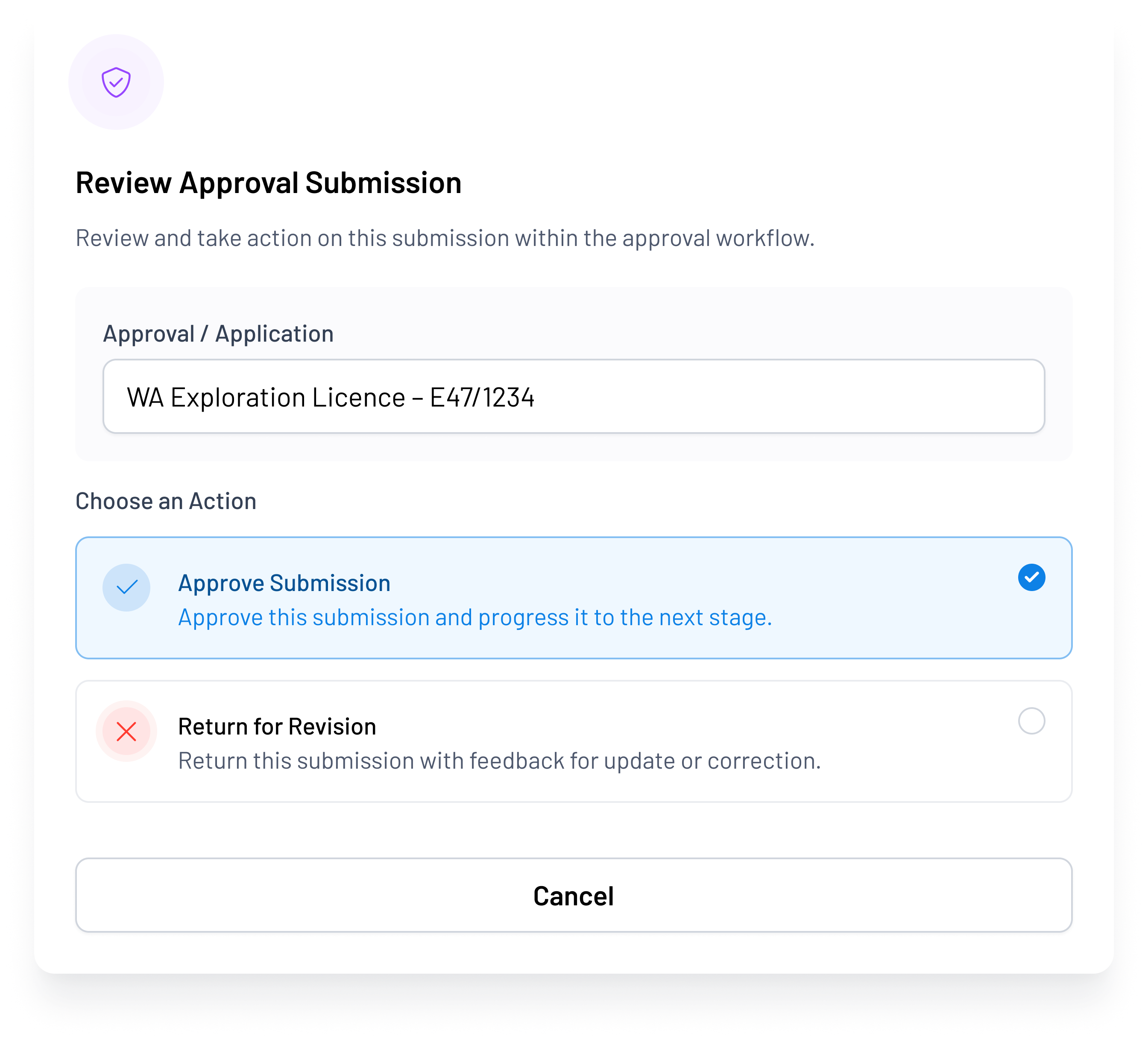
review
Review approval submission modal
Step 4 · Review

Review and sign off.

Submission, conditions, evidence, prior comments — sign off inline with a full audit trail.

The problem

Approvals live in email. Nobody can tell you actual status without asking three people.

Exploration licence applications across multiple jurisdictions, tracked in email

Environmental approvals, EPBC, state — conditions buried in a PDF

Heritage and Native Title clearances — status depends on asking the consultant

Mining lease applications — critical to project schedule, status unknown without a call

Condition management — every condition a granted approval carries, tracked nowhere

Approvals are what determine whether we hit our milestones. Right now they live in three inboxes and nobody can tell me the actual status without asking someone.

Managing Director, Junior Developer, WA

We stalled for six months on a heritage clearance that nobody was actively managing.

GM Operations, Junior Explorer, SA
Capabilities

Approvals from application to completion

Structured templates per approval type across WA (DMIRS), SA (DEM), QLD (DNRME), NT (DITT), NSW, VIC, TAS.

Tasks, documents, stakeholders, deadlines per jurisdiction template.

  • Jurisdiction-specific application templates
  • Task checklists by approval type
  • Document requirements and deadlines
  • Stakeholder assignment per jurisdiction

Correspondence, lodgement receipts, maps, consultant reports, regulator responses, all attached to the approval and searchable.

  • Email correspondence linked to approval
  • Lodgement receipts and confirmations
  • Consultant reports and assessments
  • Regulator responses and clarifications

Internal approver, external consultant, Native Title party, regulator — each handoff time-stamped, attributed, and traceable.

  • Internal approval workflows
  • External consultant sign-off
  • Native Title party clearances
  • Regulator handoff tracking

Every condition attached to a granted approval tracked to completion.

Conditions at risk surface on the board pack automatically.

  • Conditions extracted from approval documents
  • Due date and owner assigned per condition
  • Risk escalation when conditions slip
  • Completion verified and recorded
How MineOne compares

Built for approval workflow, not tenement administration

Capability Spreadsheets / Email Tenement Tools (Tenderfield, WolfDen) MineOne
Application workflow No Partial ✓ Full
Stakeholder sign-off Email threads Basic ✓ Structured
Condition tracking In a PDF Partial ✓ Full
Variation management Manual Limited ✓ Full
Board visibility None None ✓ Native
Integrated with compliance calendar No No ✓ Yes
Integrated with board reporting No No ✓ Yes
Deep dive

Approvals status into the board pack — one click

When the Chair asks for an approvals update in the board pack, today it takes the Ops Manager an afternoon to pull together. With MineOne, the approvals dashboard rolls directly into the live board pack. Status, risks, milestones, conditions at risk. No assembly job.

"The question is not the approval itself. It is the 47 conditions that come with it and whether anyone is tracking them."
app.mineone.io/approvals-board
Applications
12
Open
Conditions at Risk
3
Require action
Exploration Licences
Environmental Approvals
Conditions Tracked
Who benefits

The three roles approvals depend on

Managing Director

Project gating

You make go/no-go decisions based on approvals status. You need real-time visibility into what is blocking the project.

Fear: "I do not know if we are six months or six weeks from starting drilling."
Approvals Coordinator

Replacing shared folder chaos

You manage the daily workflow. Approvals are scattered across inboxes, shared folders, and consultant systems.

Fear: "I spend half my time chasing people for status updates."
CFO

Board reporting without chasing

You need approvals status in the board pack without asking three people the day before the meeting.

Fear: "Approvals updates are never ready when I need them."
Common questions

Mining Approvals Workflow

A structured system that tracks exploration licences, environmental approvals, heritage clearances, and mining leases from application through completion. It captures stakeholder sign-offs, attached evidence, and conditions — replacing email and spreadsheet tracking.

Every condition from a granted approval is extracted, assigned an owner, due date, and risk level. The system escalates conditions at risk to the board automatically. No condition lives in a PDF untracked.

Yes. Templates are pre-configured for WA (DMIRS), SA (DEM), QLD (DNRME), NT (DITT), NSW, VIC, and TAS. Each jurisdiction has its own application requirements, timelines, and stakeholder workflows.

Consultants can access their assigned approvals with restricted permissions. They upload reports, confirm completion of tasks, and sign off on milestones. All handoffs are time-stamped and attributed.

Yes. Native Title clearances are structured as a separate approval stream with the Native Title party as a stakeholder. Sign-off is tracked as a handoff in the audit trail.

Escalation cascades to the Ops Manager and MD automatically. The approval surfaces in the board pack with a red flag. No one is hoping someone remembers to chase the regulator.

Ready to replace approvals email with a single source of truth?

Book a Compliance Walk-Through